
Want to know how to add items to your restaurant website with QR menu? GrandQR makes it incredibly easy to add and manage menu items on your digital restaurant website. Whether you're adding your first dish or updating your entire menu, our intuitive item management system helps you create a professional QR menu that showcases your cuisine perfectly. This guide shows you exactly how to add items to restaurant website with QR menu, including photos, prices, descriptions, and categories.
Why Adding Items Properly Matters for Your Restaurant QR Menu Website
When you add items to restaurant website with QR menu, presentation is everything. Customers decide what to order based on how your dishes look and how well they're described. Our item management system lets you add beautiful photos, detailed descriptions, accurate prices, and organize items into categories. This is how to add items to restaurant website that converts browsers into customers. Research shows that menus with high-quality images increase orders by up to 30%.
Step-by-Step: How to Add Items to Restaurant Website with QR Menu
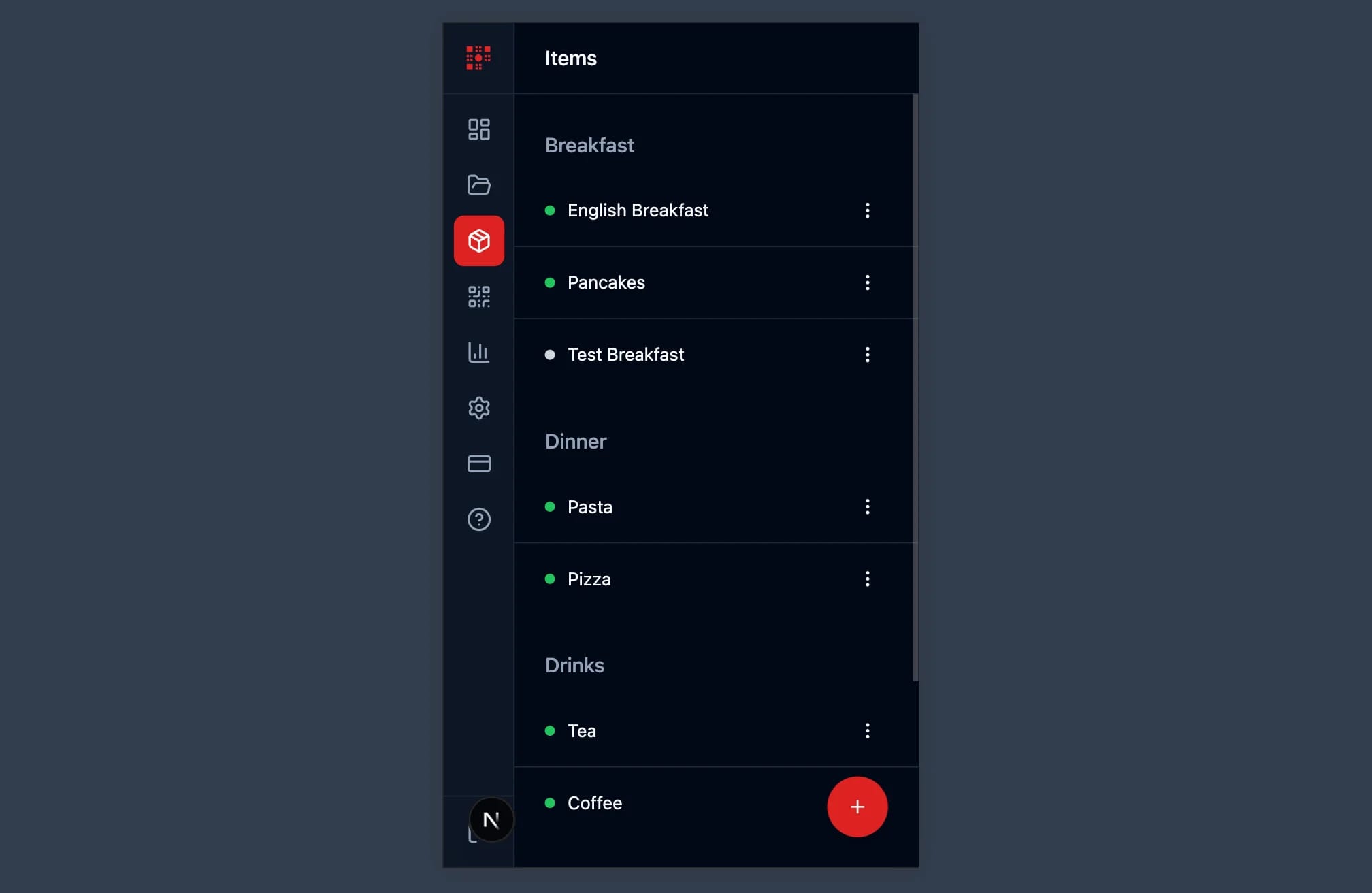
Adding items to your restaurant website with QR menu is simple with GrandQR. Navigate to the Items section in your dashboard and click the add button. Enter the item name, write an appetizing description, set the price, and select a category. Upload a photo of your dish - our system automatically optimizes images to 500x500 pixels for perfect display. Toggle the active status to show or hide items instantly. This streamlined process makes it easy to add items to restaurant website with QR menu in just minutes.

Image Upload and Optimization for Your Restaurant Items
High-quality images are essential when you add items to restaurant website with QR menu. Our system accepts JPEG, PNG, WebP, and GIF formats up to 5MB. Every image is automatically resized to 500x500 pixels and converted to WebP format for fast loading while maintaining excellent quality. This means your dishes always look their best on any device. Professional food photography significantly improves how customers perceive your restaurant when browsing your QR menu website.
Benefits of Adding Items to Your Restaurant QR Menu Website
- Add unlimited menu items with photos, descriptions, and prices
- Automatic image optimization for fast loading and perfect display
- Organize items into categories for easy customer navigation
- Active/inactive toggle to hide sold-out items without deleting
- Drag and drop reordering to arrange items in your preferred order
- Mobile-friendly interface to add items from any device
Start Adding Items to Your Restaurant QR Menu Website Today
Now you know exactly how to add items to restaurant website with QR menu using GrandQR. Our powerful item management system provides everything you need to create a mouth-watering digital menu. Add beautiful photos, write compelling descriptions, set competitive prices, and organize your items into logical categories. Whether you run a small cafe or a large restaurant, GrandQR makes it easy to add items to restaurant website that attracts and converts customers.
Ready to add items to your restaurant website with QR menu?
Get Started Free