
Want to know how to make QR code menu for restaurant with categories? GrandQR now offers a powerful category management system that makes creating organized digital menus easier than ever. Whether you're running a restaurant, cafe, or bar, organizing your menu with categories helps customers find exactly what they're looking for. This update shows you exactly how to make QR code menu for restaurant with well-structured categories that enhance the dining experience.

Why Categories Matter When You Make QR Code Menu for Restaurant
When you make QR code menu for restaurant, organizing items into categories is essential. Customers expect to see logical groupings like Appetizers, Main Courses, Desserts, and Beverages. Our new category management system lets you create unlimited categories, set their display order, and toggle their visibility. This is exactly how to make QR code menu for restaurant that customers love - clear, organized, and easy to navigate. Studies show restaurants with well-organized digital menus see 35% higher customer satisfaction.
Step-by-Step: How to Make QR Code Menu for Restaurant with Categories
Making a QR code menu for restaurant with categories is simple with GrandQR. First, navigate to the Categories section in your dashboard. Click the floating action button to add a new category. Enter the category name, optional description, and set whether it's active. The new streamlined interface shows all your categories in a clean list with activity indicators. Use the up and down arrows to reorder categories exactly how you want them to appear on your QR menu. This intuitive approach to making QR code menu for restaurant ensures your menu is always organized perfectly.
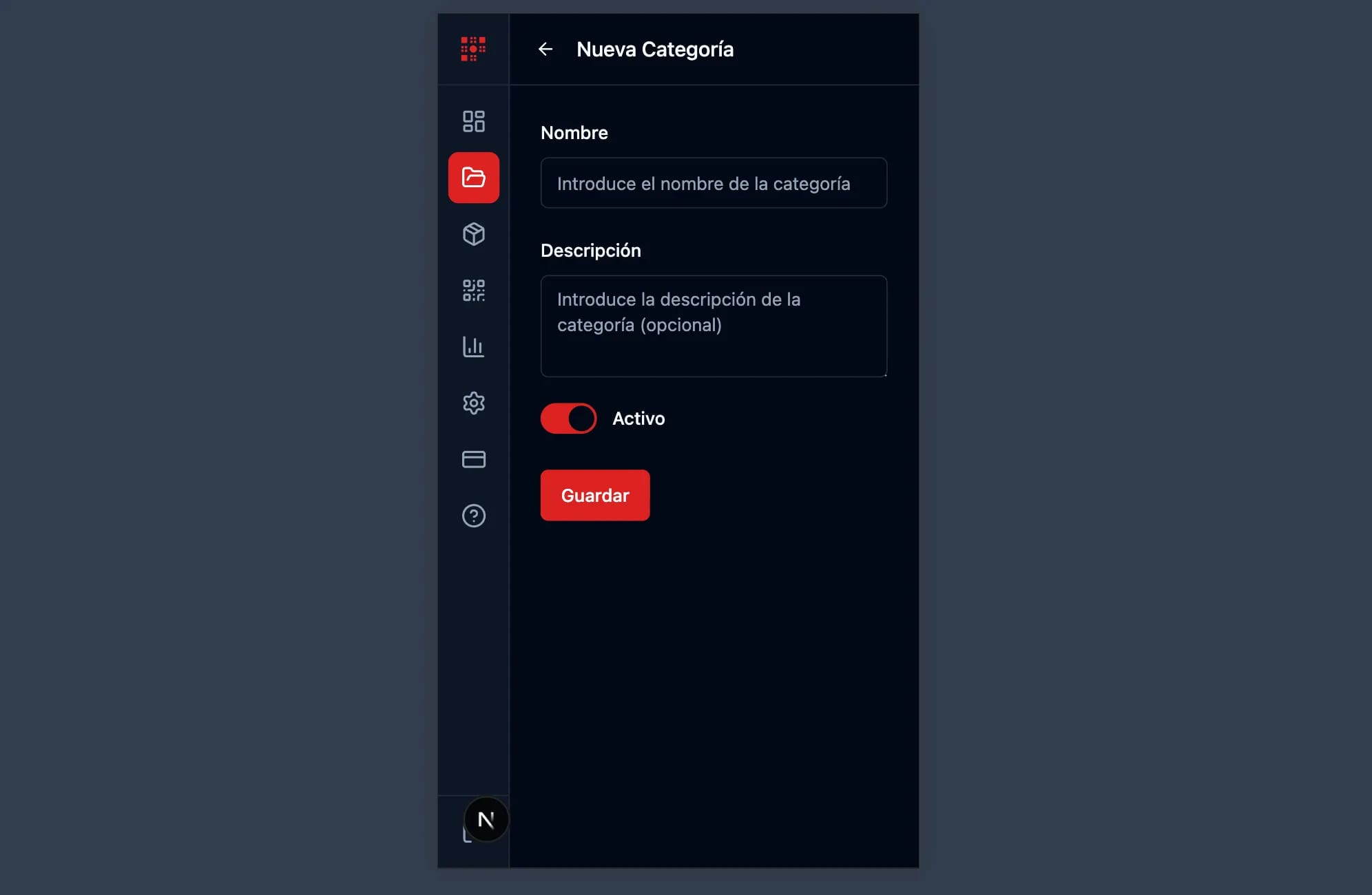
Mobile-Optimized Category Management
We know restaurant owners are busy and often manage their menus on the go. That's why our category management is fully optimized for mobile devices. When you make QR code menu for restaurant using your phone, you'll find a compact interface with a three-dot menu for quick actions. Move categories up or down, edit details, or delete categories - all from your smartphone. This mobile-first approach ensures you can make QR code menu for restaurant with categories anytime, anywhere.
Benefits of Making QR Code Menu with Categories
- Organize menu items logically so customers can easily find what they want
- Drag and drop reordering to arrange categories in your preferred display order
- Active/inactive toggle to hide seasonal categories without deleting them
- Mobile-optimized interface to manage categories from any device
- Clean visual design with activity indicators for quick status overview
- Unlimited categories to fully represent your restaurant's menu structure
Start Making Your QR Code Menu with Categories Today
Now you know exactly how to make QR code menu for restaurant with categories using GrandQR. Our new category management system provides everything you need to create a professional, well-organized digital menu. Categories help customers navigate your menu faster, find their favorite dishes, and discover new items. Whether you have a simple menu with a few categories or an extensive menu with dozens of sections, GrandQR makes it easy to make QR code menu for restaurant that impresses your customers.
Ready to make QR code menu for your restaurant with categories?
Get Started Free