
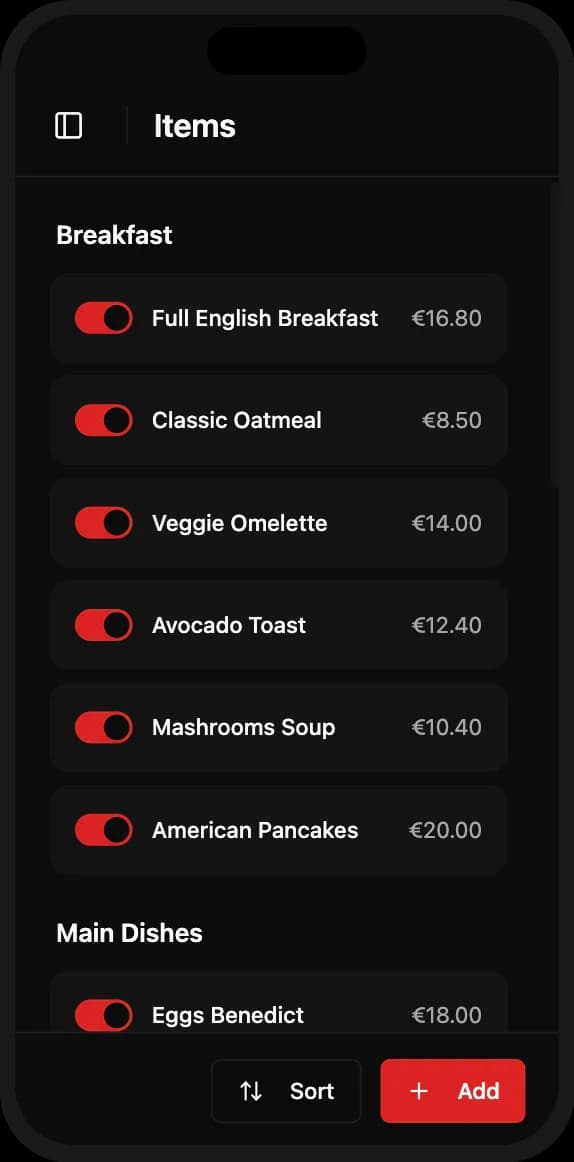
Forget complicated content management systems. GrandQR's menu editor is designed for restaurant owners, not web developers. Create a new category in seconds, add dishes with a few taps, upload photos directly from your phone. Drag items to reorder, toggle visibility for sold-out items, and see changes live immediately.
Easy Menu Management
Managing your menu has never been easier. Add categories, create dishes with photos and descriptions, set prices, and organize everything with simple drag-and-drop. Changes appear instantly on your live website.

Key Benefits
Intuitive category and item creation
Drag-and-drop reordering
Toggle items on/off without deleting
Instant updates - changes appear in seconds
Organize unlimited categories and dishes
Frequently Asked Questions
How do I add a new dish?
Tap 'Add Item', enter name, description, price, and optionally upload a photo. That's it!
Can I reorder menu items?
Yes, simply drag and drop items or categories to reorder them.
What if a dish is sold out?
Toggle the item off temporarily - it disappears from the menu but isn't deleted.
Ready to Get Started?
Create your professional QR menu and restaurant website in minutes. All features included.